

MOBILE APP
The mobile app has all these features to enhance your RISKWORLD experience and keep you connected:
- Speed through the check-in process to print your badge by scanning the registration barcode located on the express badge
- See the most recent agenda updates
- Receive event and emergency notifications
- Bookmark and add notes to sessions, events, exhibitors, speakers, and attendees to create your agenda
- Engage with the Interactive Marketplace Floorplan
- View Education Handouts and Presentations (Available during the show)
- Access to Snapsight Translations and Session Summaries
Scan the QR Code to Download 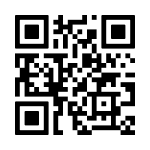
Steps to Download the RIMS Events App for New Users:
- Download and open the RIMS Events app.
- Next, select RISKWORLD 2026 to load the show app.
- Log in using your email address, and the password is your Registration Badge ID number.
- After logging in, click the 'Start' button to open the show app.
For Previously Downloaded RIMS Events App:
- When you open the RIMS Events app, it might redirect you to the last event you visited. To access the RISKWORLD 2026 event, you will need to navigate through the previous app.
- On the 'Home' page, find the 'Other RIMS Events' menu, which lists other events available.
- Select RISKWORLD 2026 to load the event.
- Log in using your email address, and your password is your Registration Badge ID number located in your registration confirmation.
- Once logged in, click the 'Start' button to open the show app.
- Additionally, you can toggle between other RIMS event apps if needed.
- If you experience any issues, we recommend deleting and reinstalling the latest version of the app to ensure everything runs smoothly.
Tips and key features:
- To view your agenda added during registration or completed in the Attendee Service Center, go to your Profile (person icon), > Full Agenda, then open the calendar and select the event date.
- To add sessions to your agenda, open Events by Day (tap the Agenda icon) to select the sessions you want. Your selections will be saved under Full Agenda.
- If you have not yet built your agenda, you can bookmark sessions instead. Bookmarked sessions are saved under Profile (person icon) > My Sessions.
- You can also bookmark Attendees, Exhibitors, and Speakers for quick access. Find these under Profile (person icon): My Attendees, My Exhibitors, and My Speakers.
- To receive session reminders, go to Settings > Session List Settings and enable notifications.
- Notes you add for Attendees, Exhibitors, Speakers, and Sessions are saved under Profile (person icon) > My Notes for easy reference.
Mobile App sponsored by: